2Start here · Step 2 of 5

Creating your first candidate list

The three steps of the wizard: describe the role, review the filters the AI proposes, and tune the evaluation criteria.

Updated

In HeyTalent all the work is organised into lists. The natural unit is one list per role you're filling: the candidates, their data and the AI's scoring all live inside it.

From Lists, hit “+ Create New List” and a three-step wizard opens.

Step 1 · List Details

One field: “Describe your ideal role”. Describe the role, the responsibilities and the requirements, or just paste the job description.

From that, HeyTalent infers the job title and the list name, and prepares the job titles, keywords and locations for the next step. The more specific you are here, the less you'll fix later.
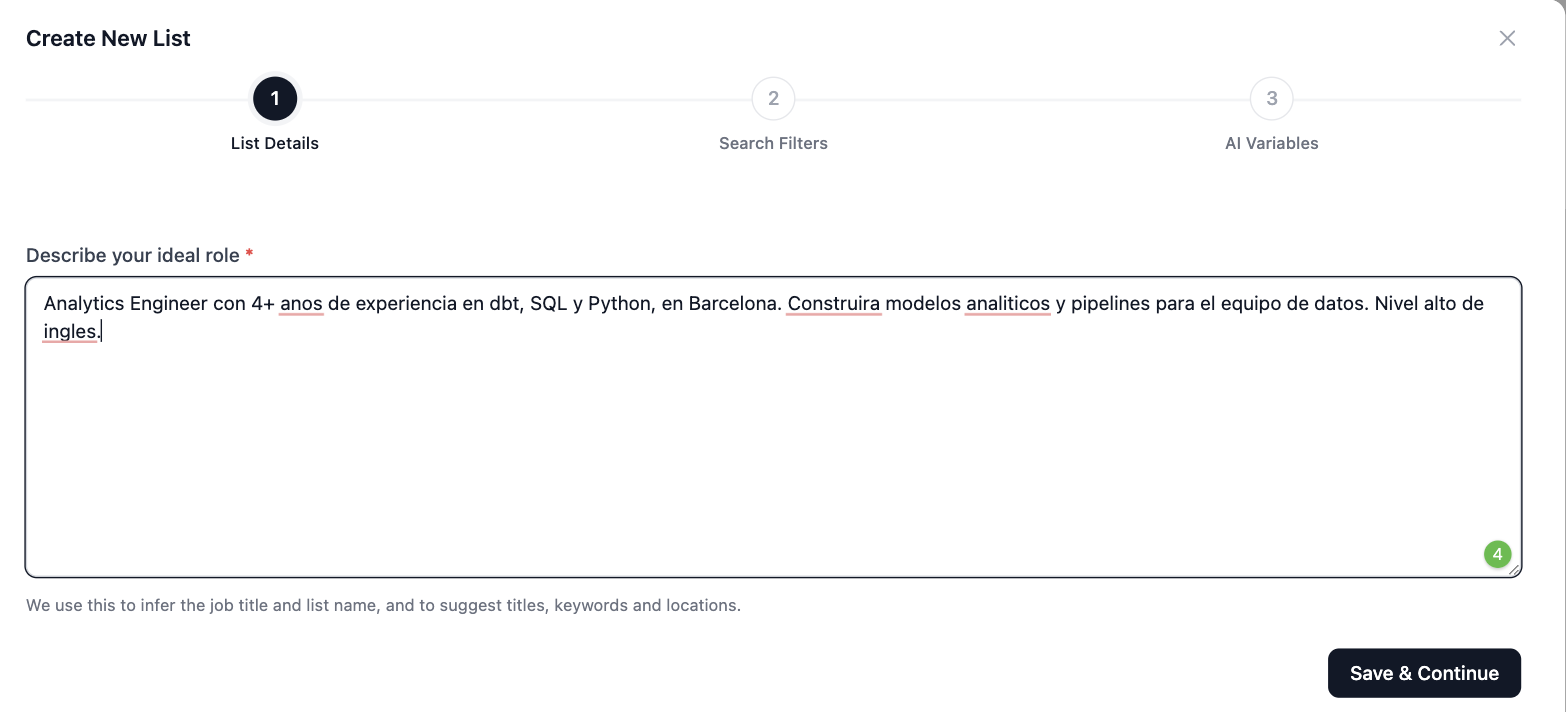
The wizard's first step: a single field describing the role

Hit “Save & Continue”.

Step 2 · Search Filters

You land with the filters already filled in by the AI: titles, keywords and location all come from what you wrote in step 1. Your job here is to review and sharpen them, not to start from scratch.

Every filter is explained in how the search criteria work.

Before moving on, at the bottom you'll find the Maximum Candidates control and a Cost Estimation notice with the maximum this run can cost.

Hitting Next shows a confirmation: “You will not be able to make changes once you move forward.” Accepting it launches the extraction and spends the credits. Check the filters first: on your first run keep the candidate cap low, look at the profiles that come back, and extend the list afterwards.

Step 3 · AI Variables

The last step is the AI evaluation criteria: the platform proposes criteria for scoring candidates, you rank them by relevance and add your own in plain language. It's covered in what AI evaluation criteria are.

Hitting “Confirm and generate” has the AI score the candidates against those criteria.

Afterwards

With the list populated, the usual order is:

  1. Filter and sort the list down to the candidates who fit.
  2. Look up email and phone for those only.
  3. Launch a campaign from the list.

If the search comes back empty, see what to do when a search returns no results.

Related articles